







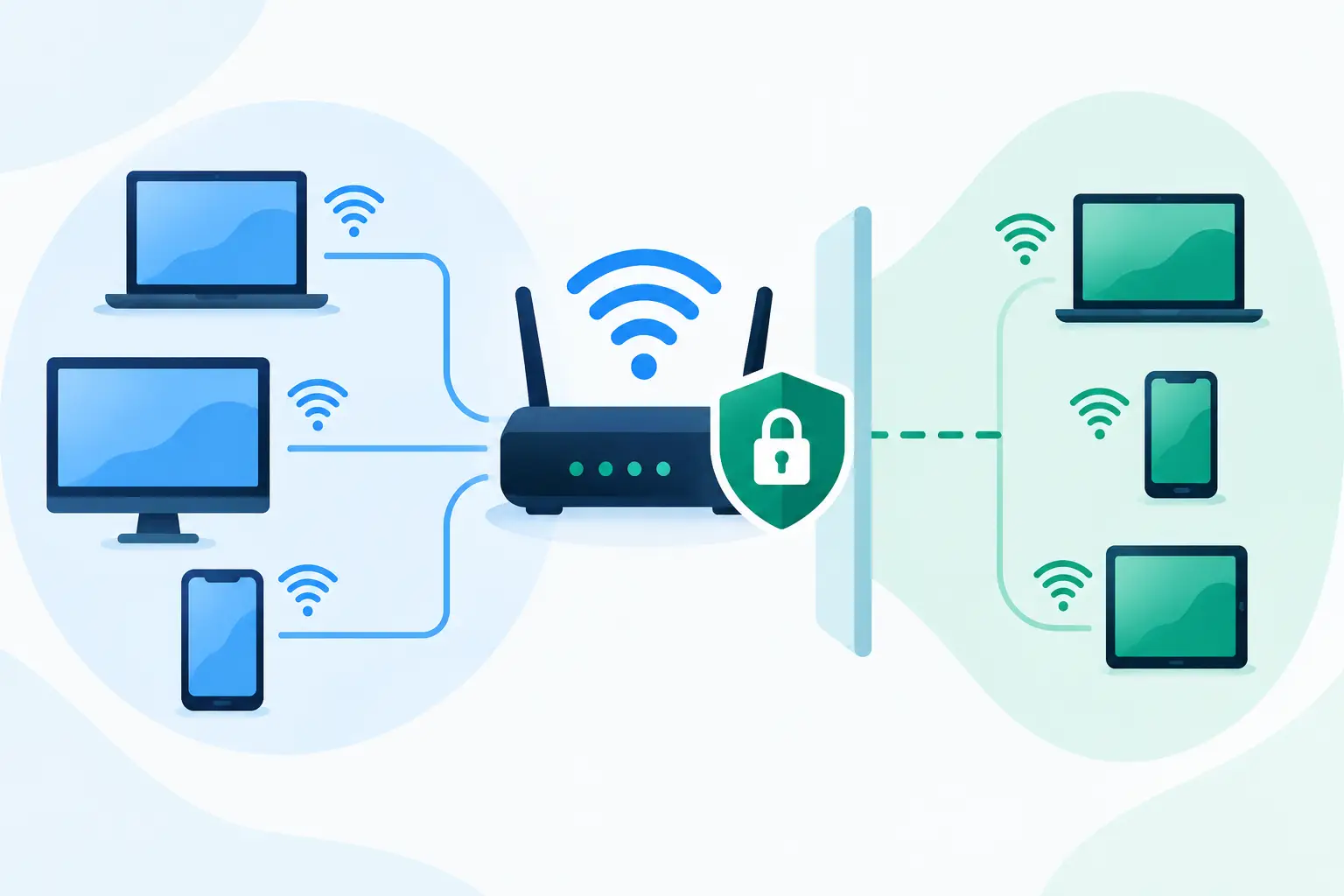
A customer asking for the Wi-Fi password should not create a path to your till, office files, security cameras or staff laptops. Knowing how to isolate guest networks turns a useful visitor amenity into a controlled service, rather than an unmanaged security risk. For retailers, cafés, clinics, offices and multi-site businesses, the goal is simple: guests get dependable internet access, while the systems that keep the business running remain separate.
Guest Wi-Fi isolation is not achieved by giving visitors a different password alone. A separate name for the network is helpful, but it does not automatically stop devices from communicating with business equipment. Proper isolation requires the network, firewall rules and wireless settings to work together.
What guest network isolation actually means
An isolated guest network is a separate segment of your network intended for visitors, contractors or personal devices. It has internet access, but it cannot reach internal business resources unless you deliberately allow a specific exception.
Those resources may include point-of-sale terminals, EFTPOS equipment, printers, file servers, cloud management appliances, cameras, door access controllers and staff devices. In a well-designed setup, a guest can browse the web or use a video call, but cannot scan the local network, discover a printer or connect to a payment device.
The most reliable approach uses a virtual LAN, commonly called a VLAN. Think of it as a separate lane on the same physical network. Your access points and switches can carry several lanes, while the firewall decides which lanes are allowed to communicate. This avoids the cost and clutter of running separate hardware everywhere, while maintaining meaningful separation.
There is a trade-off. A basic router may offer a guest Wi-Fi option with limited controls, which can be suitable for a small, low-risk site. Businesses handling card payments, customer information or several connected devices should use managed network equipment with explicit VLANs and firewall policies. The difference is visibility and control when something goes wrong.
How to isolate guest networks step by step
Start by mapping what is already connected. This is the step many businesses skip, and it is where accidental exposure begins. Record the devices that need internal access: staff computers, servers, printers, payment terminals, cameras, phones, Wi-Fi access points and any building-management equipment. Include devices that may be easy to overlook, such as music systems, meeting-room screens and smart TVs.
Next, decide which groups genuinely need to communicate. A sensible small-business design often separates business devices, payment devices, guest Wi-Fi and management devices. Payment equipment may need access only to its approved payment service, while cameras may need access to a recording service but not to staff laptops. Separation limits the impact if any one device is compromised.
Create a dedicated guest VLAN and wireless network
Configure a dedicated guest VLAN with its own IP address range, separate from the business LAN. Then create a guest wireless network, or SSID, and assign it to that VLAN. Give it a clear name that staff and visitors can recognise, such as `Company Guest Wi-Fi`, but avoid placing internal location codes or technical details in the name.
Use WPA2 or WPA3 security, depending on what your equipment and visitor devices support. WPA3 is preferable where available, although WPA2 remains common for compatibility. Choose a strong passphrase and change it when staff share it too widely or a regular contractor leaves. For venues with frequent visitors, a captive portal or time-limited access code can be easier to manage than a password written on a counter.
Do not use the same passphrase for guest and staff networks. It sounds obvious, but shared credentials are one of the most common reasons a supposedly separate network loses its value.
Block guest access to internal networks
The firewall policy is the heart of isolation. Create a rule that denies traffic from the guest VLAN to all internal network ranges. This should include business, payment, camera, voice and network-management VLANs. Allow the guest VLAN to access the internet, but not local services.
We've got your back
Set the rule direction carefully. You generally want to block new connections initiated by guests towards internal devices, while permitting only the return traffic required for their internet sessions. A stateful business firewall manages this distinction. Avoid broad rules such as “allow any to any” added temporarily to solve a connection problem. Temporary exceptions often become permanent gaps.
Where possible, apply web filtering and threat protection to guest traffic too. Guests may bring infected or poorly secured devices onto your premises. Filtering known malicious destinations and monitoring unusual activity helps prevent a guest device from using your connection to cause harm elsewhere.
Turn on client isolation within guest Wi-Fi
VLAN separation protects the business network, but it does not always stop guests on the same wireless network from seeing one another. Enable wireless client isolation, sometimes called AP isolation, so one guest device cannot directly connect to another.
This setting matters in public-facing environments. Without it, a visitor could potentially discover another guest’s shared folders, casting device or unsecured service. Client isolation is usually the right default for guest Wi-Fi.
There are exceptions. A meeting room where visitors need to present wirelessly to a dedicated screen may require controlled local access. In that case, create a separate meeting-room network or permit access only to the specific presentation device. Do not remove isolation for every guest simply because one room needs a special use case.
Control bandwidth without making the service unusable
Guest access should not be able to consume the capacity needed for cloud applications, calls or card transactions. Apply sensible bandwidth limits per user or per guest network, especially at cafés, retail sites and waiting areas where usage may be unpredictable.
The right limit depends on the connection and the expected number of users. A small office with fast fibre may allow more capacity than a regional site on a constrained connection. The objective is not to make guest Wi-Fi frustrating. It is to ensure that a visitor downloading large files cannot degrade the systems that process sales or serve customers.
Quality-of-service settings can also prioritise business-critical traffic. Payment systems, voice services and operational cloud applications should take precedence over guest browsing when the connection is busy.
Protect payments and operational systems
For businesses accepting card payments, network separation is more than good housekeeping. Payment environments must be protected from unnecessary access, and a guest network should never sit in the same flat network as EFTPOS terminals or point-of-sale systems.
Keep payment devices on their own controlled segment wherever practical. Permit only the communication they need, such as access to approved payment services and essential management tools. They should not be discoverable from guest Wi-Fi, and guest devices should never be able to administer them.
The same principle applies to operational technology. Cameras, alarms, stock systems and building controls are often installed by different suppliers over time. If they all share one network, an issue with a low-cost connected device can become an issue for the wider business. Segmentation contains that risk and makes troubleshooting faster.
Test isolation before you rely on it
A network diagram and a set of firewall rules are not proof that isolation works. Test from a device connected to the guest Wi-Fi. Confirm that it can reach the internet, then try to access known internal resources such as a printer, internal web page, camera address or network storage. Those attempts should fail.
Also test the business side. Confirm staff devices can still reach the services they need, payment terminals continue to process transactions, and any permitted exceptions operate as intended. Repeat the checks after router replacements, Wi-Fi upgrades, office moves and changes to payment or camera systems.
Monitoring matters after deployment. Review connected guest devices, bandwidth use and blocked connection attempts. A sudden increase in blocked activity can indicate a misconfigured device or someone attempting to scan the network. Retain configuration backups and document the purpose of each VLAN and firewall rule so future changes do not undo the design.
Common mistakes that weaken guest isolation
A guest SSID without VLAN separation is the most common mistake. Visitors may see a different Wi-Fi name, but still be on the same underlying network as business devices. Another is relying on a consumer-grade router that cannot enforce clear firewall boundaries or provide useful monitoring.
Businesses also create risk by allowing exceptions that are too broad. If a guest needs to print, it may feel quicker to allow access to the entire staff network. A safer option is to use a dedicated print service, a controlled device exception or a staff-managed print process. Convenience should be designed in, not added through an open door.
Finally, do not treat guest Wi-Fi as a set-and-forget feature. Passwords, devices, sites and threats change. Periodic review keeps the service useful without allowing it to become a blind spot.
For a single site, this can be manageable with the right equipment and documented settings. For multi-site businesses, a centrally managed approach makes it far easier to apply the same policy everywhere, monitor performance and resolve issues without passing responsibility between connectivity, IT and security providers.
Guest Wi-Fi should make visitors feel welcome, not give your business another problem to manage. When connectivity, firewall policy and ongoing support are owned together, guests can get online while your people, payments and operations stay where they belong: protected and productive.





