







Skip to main content
Search
- Connect your computer to an Ethernet port or the WiFi of the router (WiFi details should be on the back of the device)
- Open a web browser and navigate to 192.168.1.254
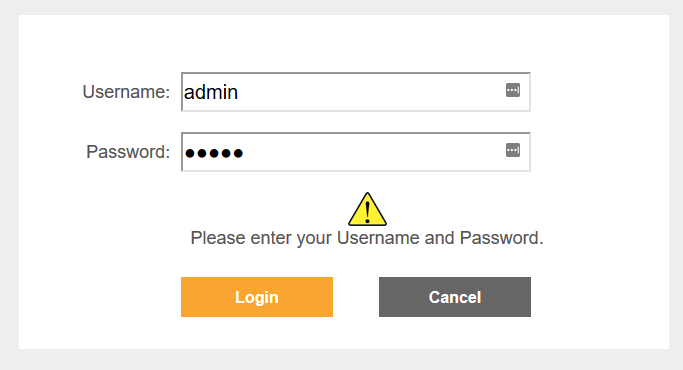
- Login with a username of “admin” and password of “admin”. If these details don’t work, reset the router
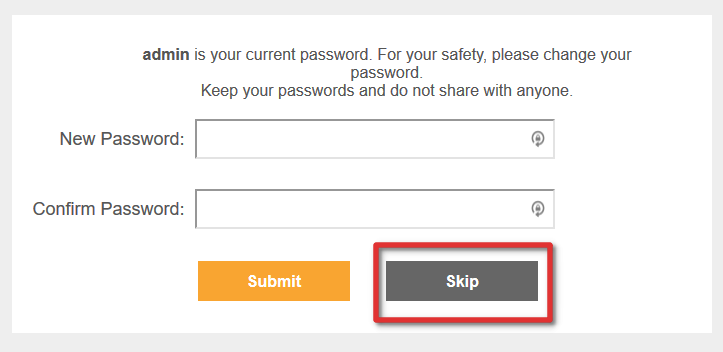
- Once logged in, click “Skip” if you don’t wish to change the default password
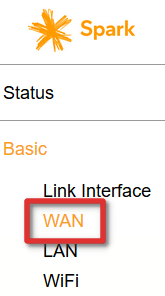
- On the left side navigation bar, click “Basic” and then “WAN”
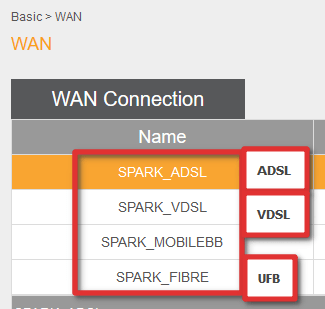
- Select the type of service you have with Vetta (ADSL, VDSL or UFB)
- Edit the below settings:
Authentication mode: CHAP
Username: The username advised to you by our team
Password: The password advised to you by our team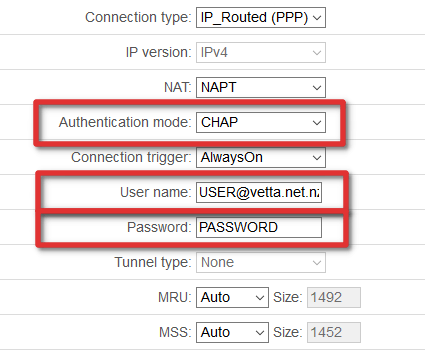
- Click “Submit”
- Reboot the router
- Congratulations! You should now be connected to the Vetta network






Comments are closed.