







Skip to main content
Search
This guide will walk through how to setup a call forwarding rule on a DID, which can be enabled and disabled by a customer by dialing into an IVR and selecting an IVR menu option.
- Download the below audio files and upload to the Cloud PBX tenant
CallForwardIVR.wav
EnterNumberToForwardTo.wav
ForwardingIsCurrentlyEnabledTo.wav
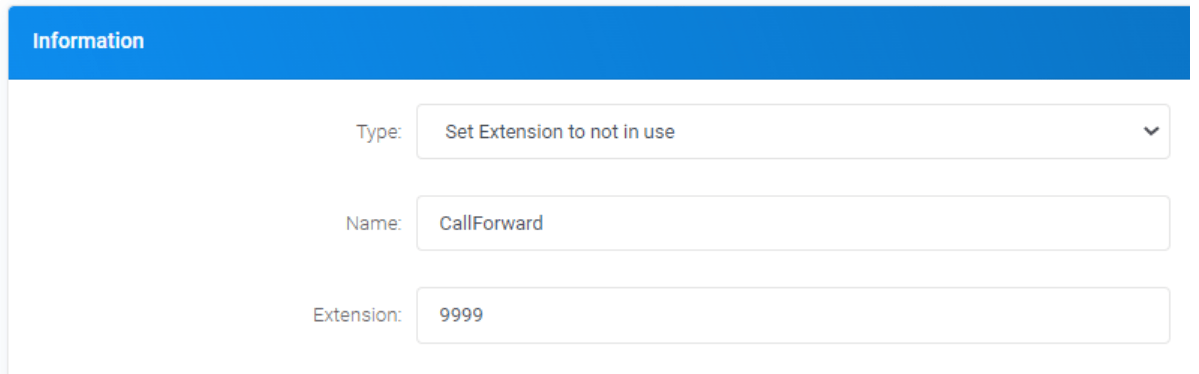
ForwardingIsNotCurrentlyEnabled.wav - Create custom destinations as below
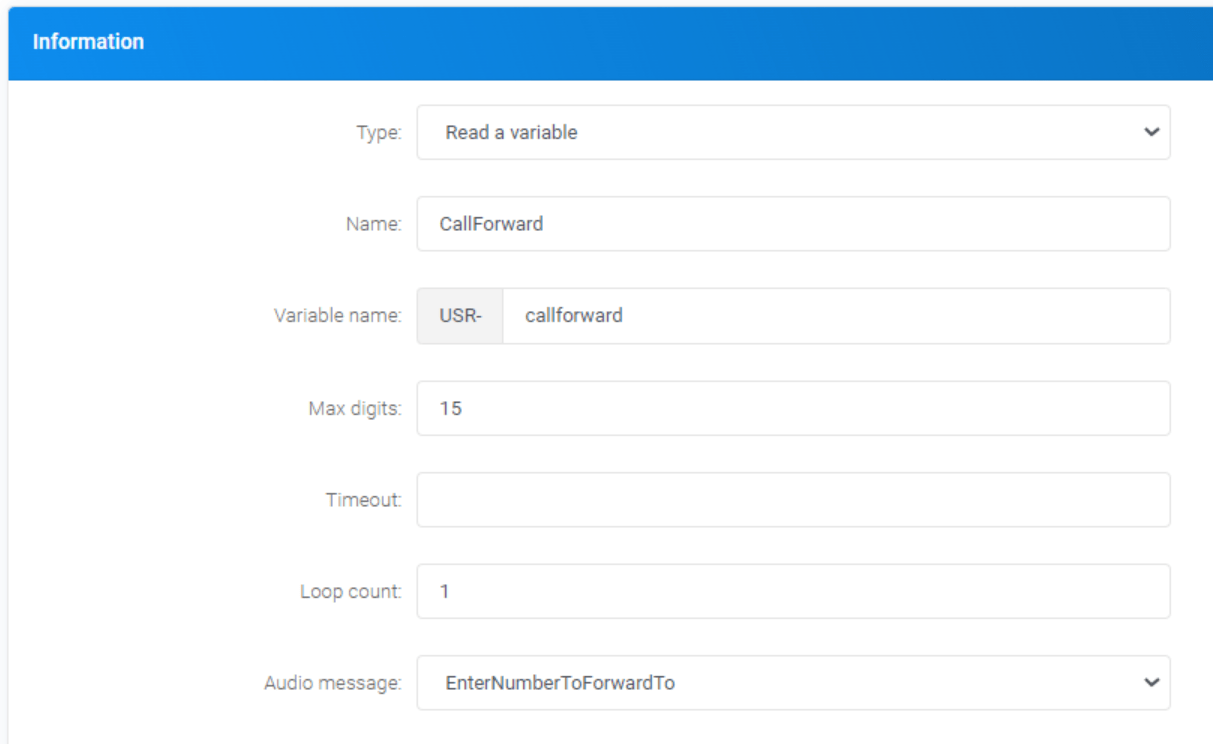
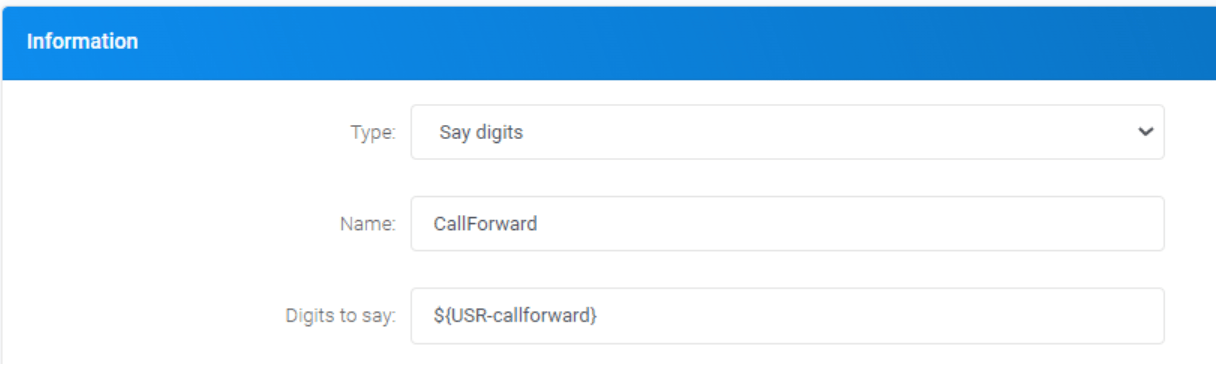
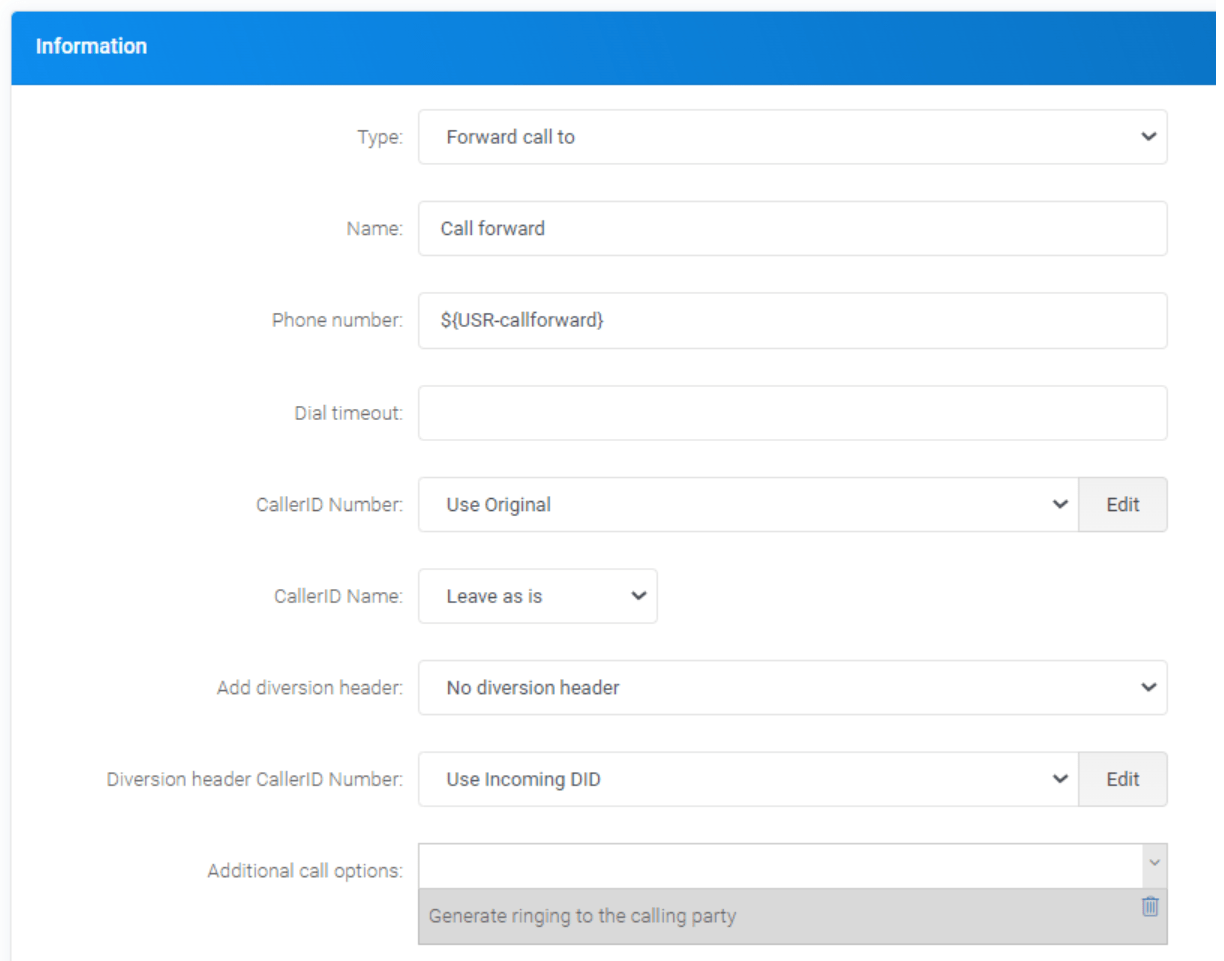
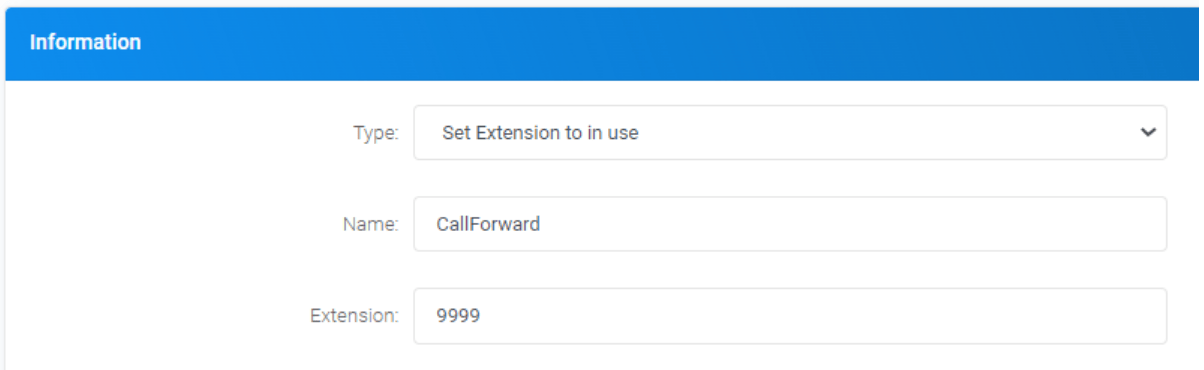
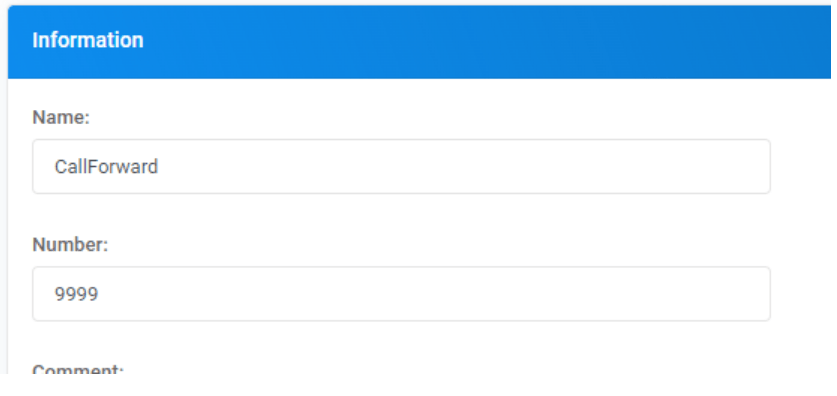
- Create a flow and variable as below
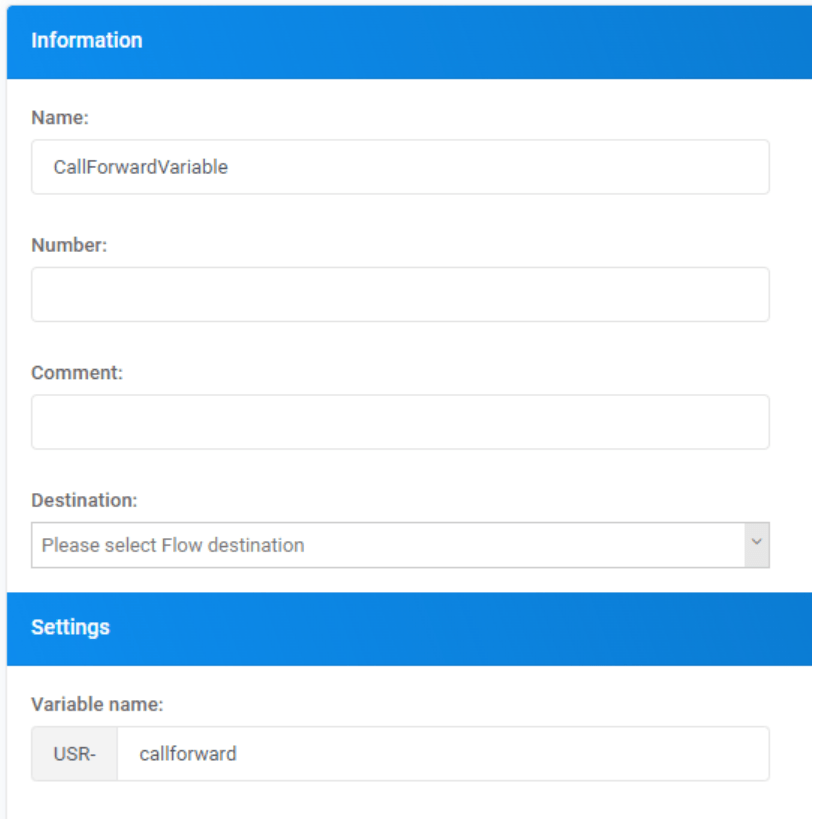
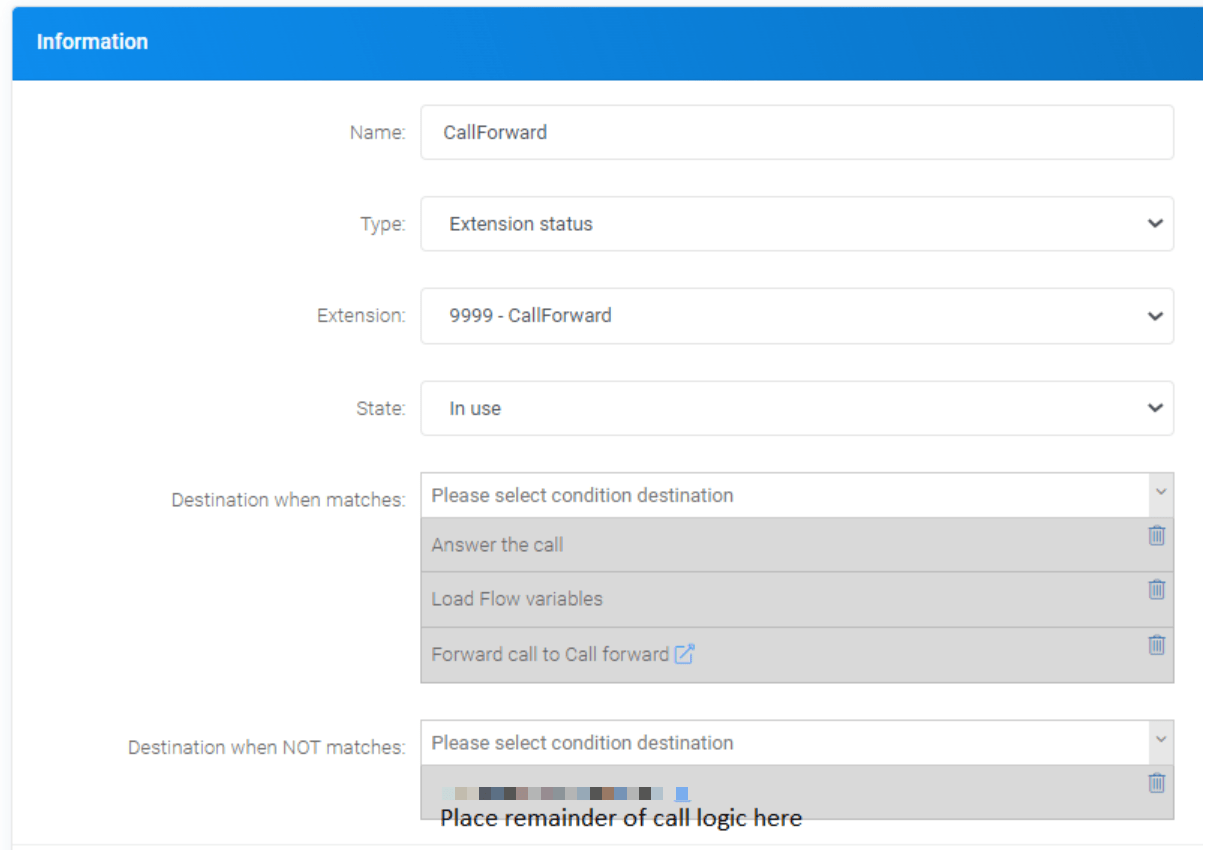
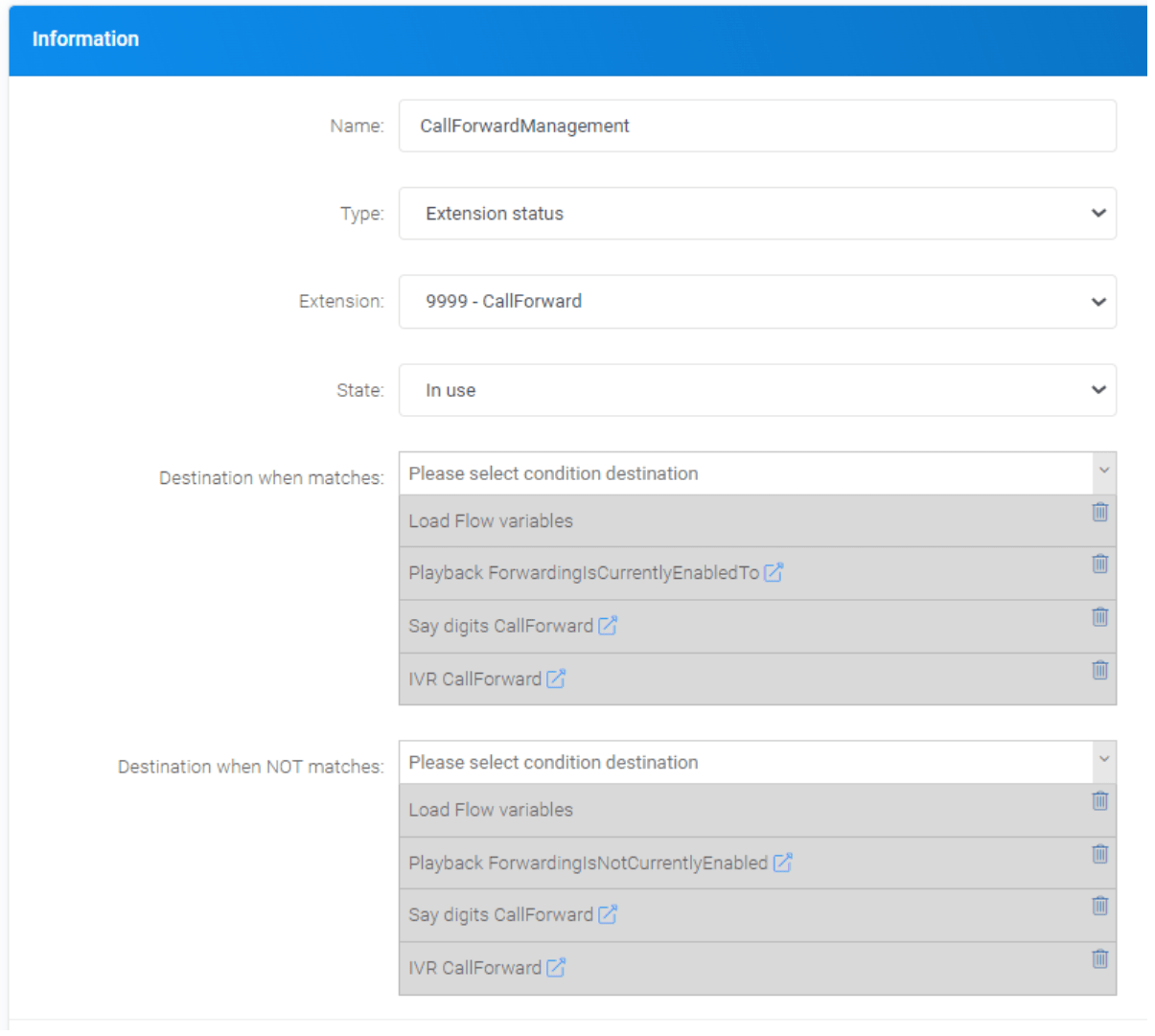
- Create conditions as below (IVR will be created in the next step, so complete all other options)
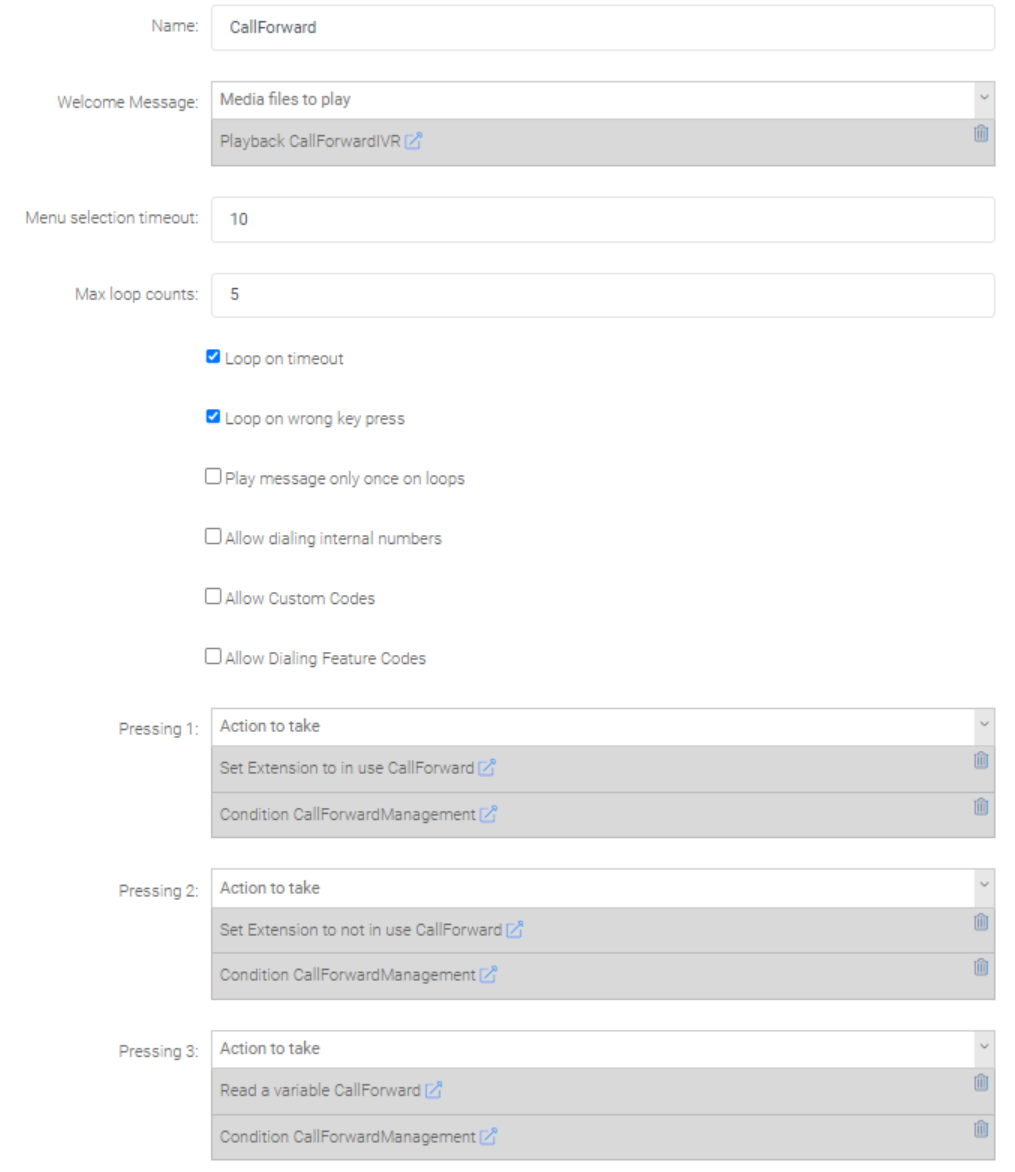
- Create the below IVR
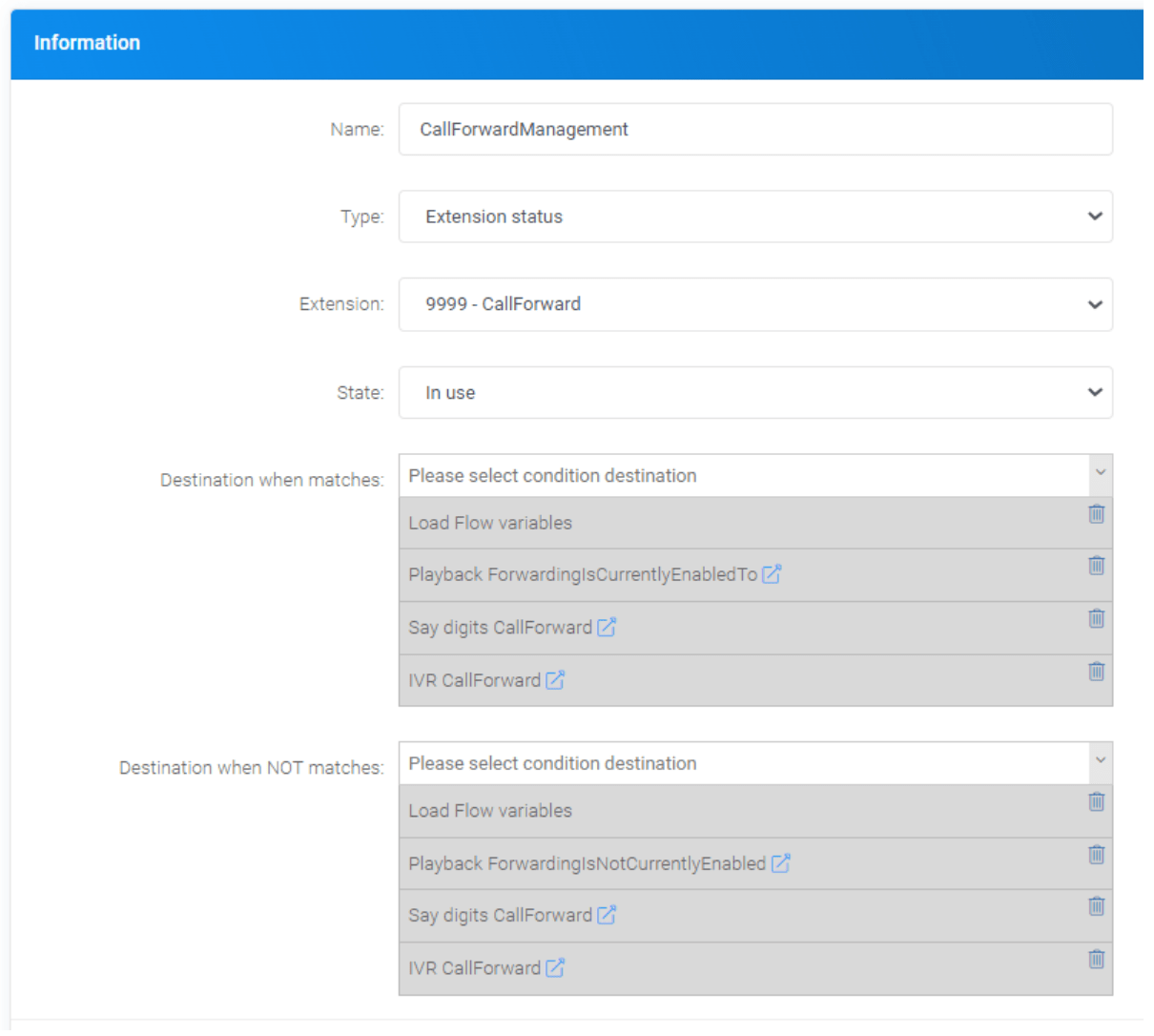
- Complete the below condition
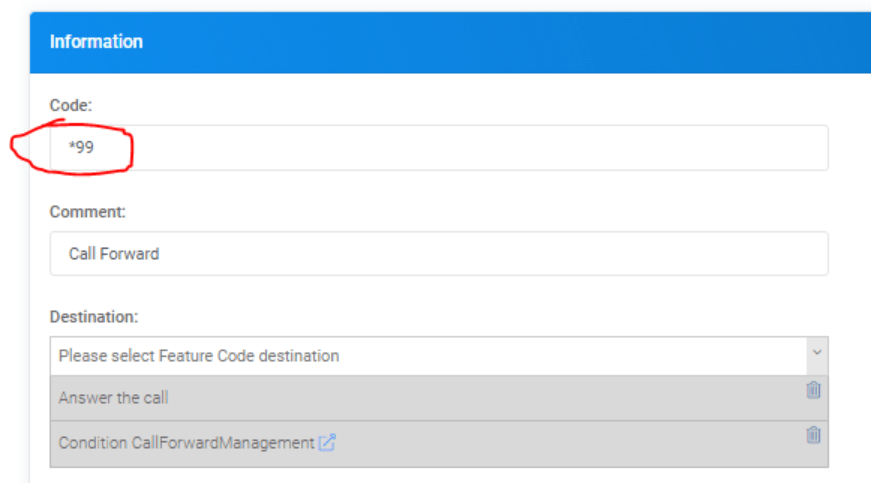
- Create the below feature code (can be anytime if more suitable)
- Set DID destinations as below







Comments are closed.